You can check out the output dashboard here😊
Overview
This article documents how I designed a full Marketing Automation (MA) tool architecture for a small startup using Google Cloud Platform — and how I used an AI assistant (Claude) to rapidly translate that design into an interactive dashboard artifact, entirely within a single conversation.
The result: a production-ready React component featuring a layered architecture diagram, cost estimator, and 6-week development roadmap — all in under an hour.
Background & Motivation
As a solo founder or small team, adopting commercial MA platforms like HubSpot or Marketo often means paying for features you don’t need and losing control over your data pipeline. I wanted to explore whether GCP’s ecosystem — with its generous free tiers and serverless primitives — could serve as the backbone for a lightweight, cost-effective MA tool built in-house.
The question I started with: “Can we build an MA tool using GCP?”
Conversation Summary
The project began as an open-ended exploration. Through a structured Q&A with Claude, we narrowed down the scope:
| Question | Answer |
|---|---|
| Target scale | Individual / small startup |
| Priority features | Email delivery & scenario automation, Form & LP creation, Analytics & reporting |
| Preferred tech stack | No strong preference — recommend best fit |
From those inputs, Claude proposed a 4-layer GCP architecture optimized for low cost, scalability, and developer simplicity.
Architecture Design
The proposed system is organized into four layers:
1. Frontend Layer
- Firebase Hosting — serves landing pages and lead capture forms, with a free tier covering most small-scale needs
- Firebase Auth — handles Google/Email-based user authentication
- Looker Studio — provides a free, no-code analytics dashboard connected to BigQuery
2. API Layer
- Cloud Run — serverless container runtime for the backend API; charges $0 when idle
- Cloud Scheduler — manages email send timing and cron-based automation triggers
- Pub/Sub — event-driven messaging bus that decouples form submissions from downstream processing
3. Data Layer
- Firestore — NoSQL document store for lead records, tags, and scenario definitions
- BigQuery — columnar analytics warehouse for behavioral event logs and campaign reporting
- Cloud Storage — stores email templates, image assets, and file attachments
4. Delivery & Automation Layer
- SendGrid / Gmail API — email sending engine with template support
- Cloud Functions — executes scenario logic triggered by Pub/Sub events (e.g., welcome emails, drip sequences)
- Vertex AI (optional) — subject line optimization and optimal send-time prediction
Data Flow

User (form input)
  → Firebase Hosting (LP / Form)
  → Cloud Run (API Server)
  → Firestore (Lead saved)
  → Pub/Sub (Event fired)
  → Cloud Functions (Scenario executed)
  → SendGrid (Email delivered)
Cost Estimate
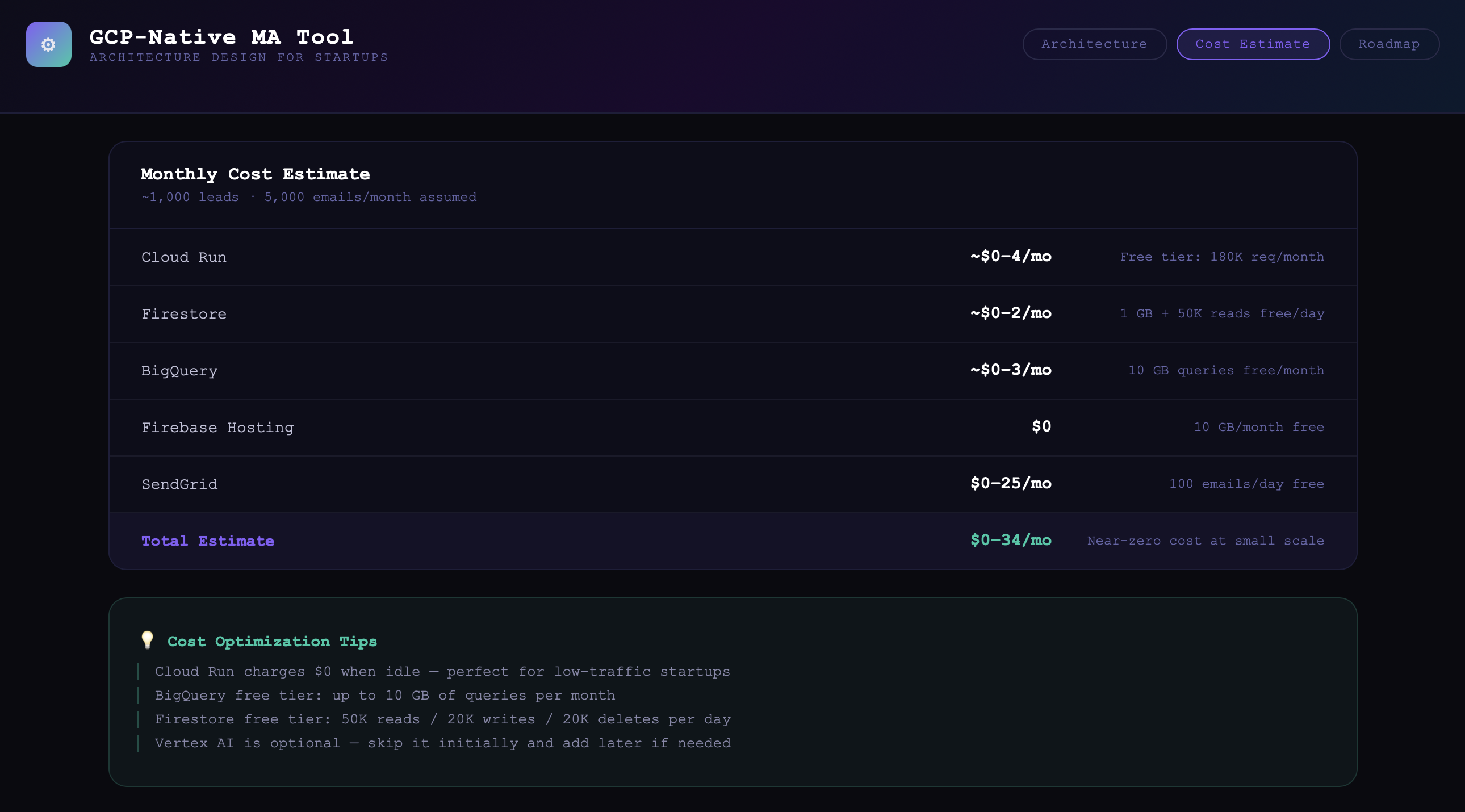
At a scale of ~1,000 leads and ~5,000 emails/month, the estimated monthly infrastructure cost is:
| Service | Estimated Cost | Notes |
|---|---|---|
| Cloud Run | ~$0–4 | Free tier: 180K req/month |
| Firestore | ~$0–2 | 1 GB + 50K reads/day free |
| BigQuery | ~$0–3 | 10 GB queries free/month |
| Firebase Hosting | $0 | 10 GB/month free |
| SendGrid | $0–25 | 100 emails/day free |
| Total | ~$0–34/mo | Near-zero at small scale |
This makes it an extremely viable option for pre-revenue startups that need real infrastructure without enterprise pricing.
Development Roadmap
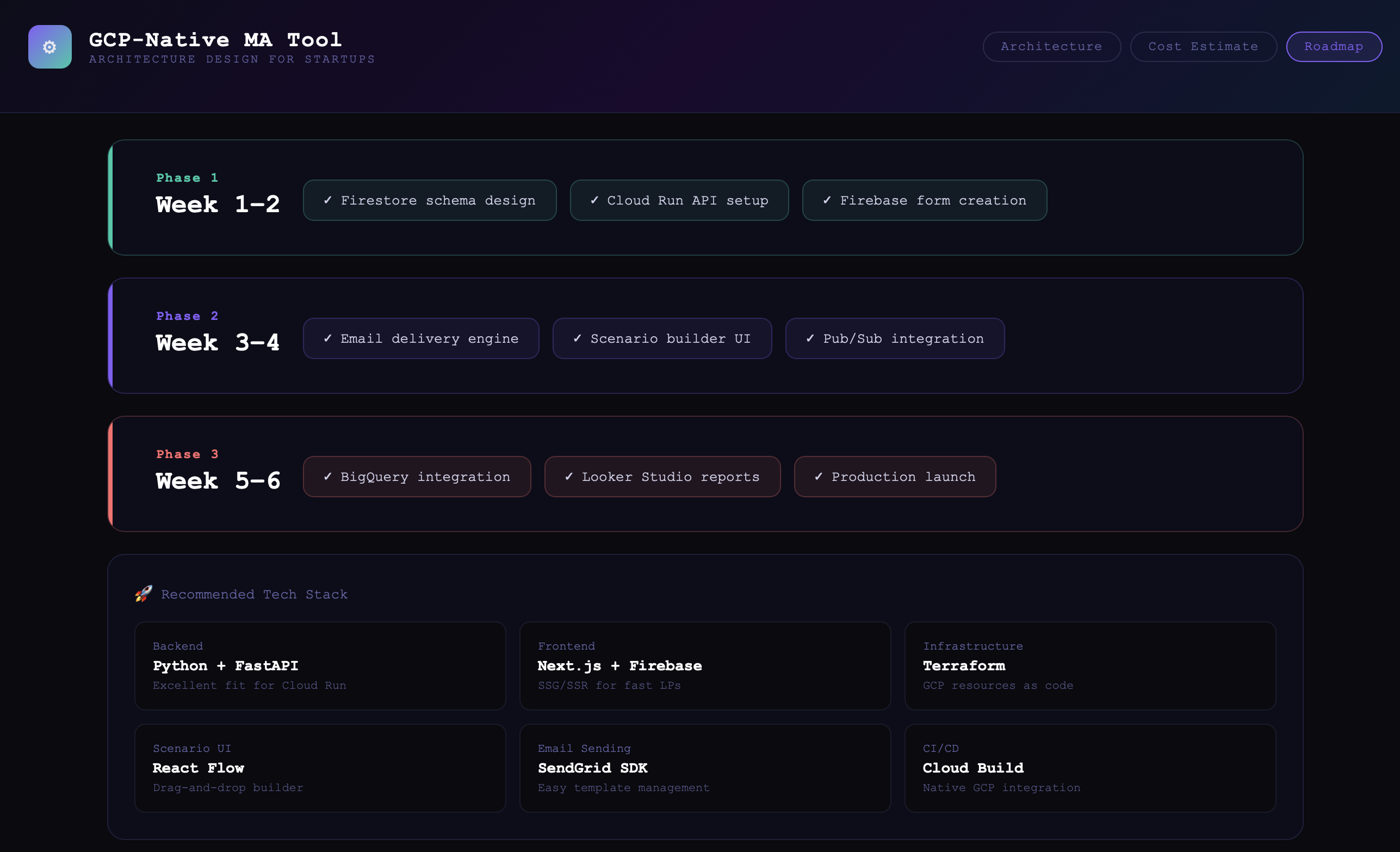
The project is structured as a 6-week MVP build:
Phase 1 — Week 1–2: Foundation
- Firestore schema design
- Cloud Run API setup
- Firebase form creation
Phase 2 — Week 3–4: Automation Core
- Email delivery engine
- Scenario builder UI (React Flow)
- Pub/Sub integration
Phase 3 — Week 5–6: Analytics & Launch
- BigQuery integration
- Looker Studio report setup
- Production release
Recommended Tech Stack
| Layer | Technology | Rationale |
|---|---|---|
| Backend | Python + FastAPI | Lightweight, fast, ideal for Cloud Run |
| Frontend | Next.js + Firebase | SSG/SSR for performant landing pages |
| Infrastructure | Terraform | GCP resources managed as code |
| Scenario UI | React Flow | Drag-and-drop workflow builder |
| Email Sending | SendGrid SDK | Simple template management |
| CI/CD | Cloud Build | Native GCP integration |
The Dashboard Artifact
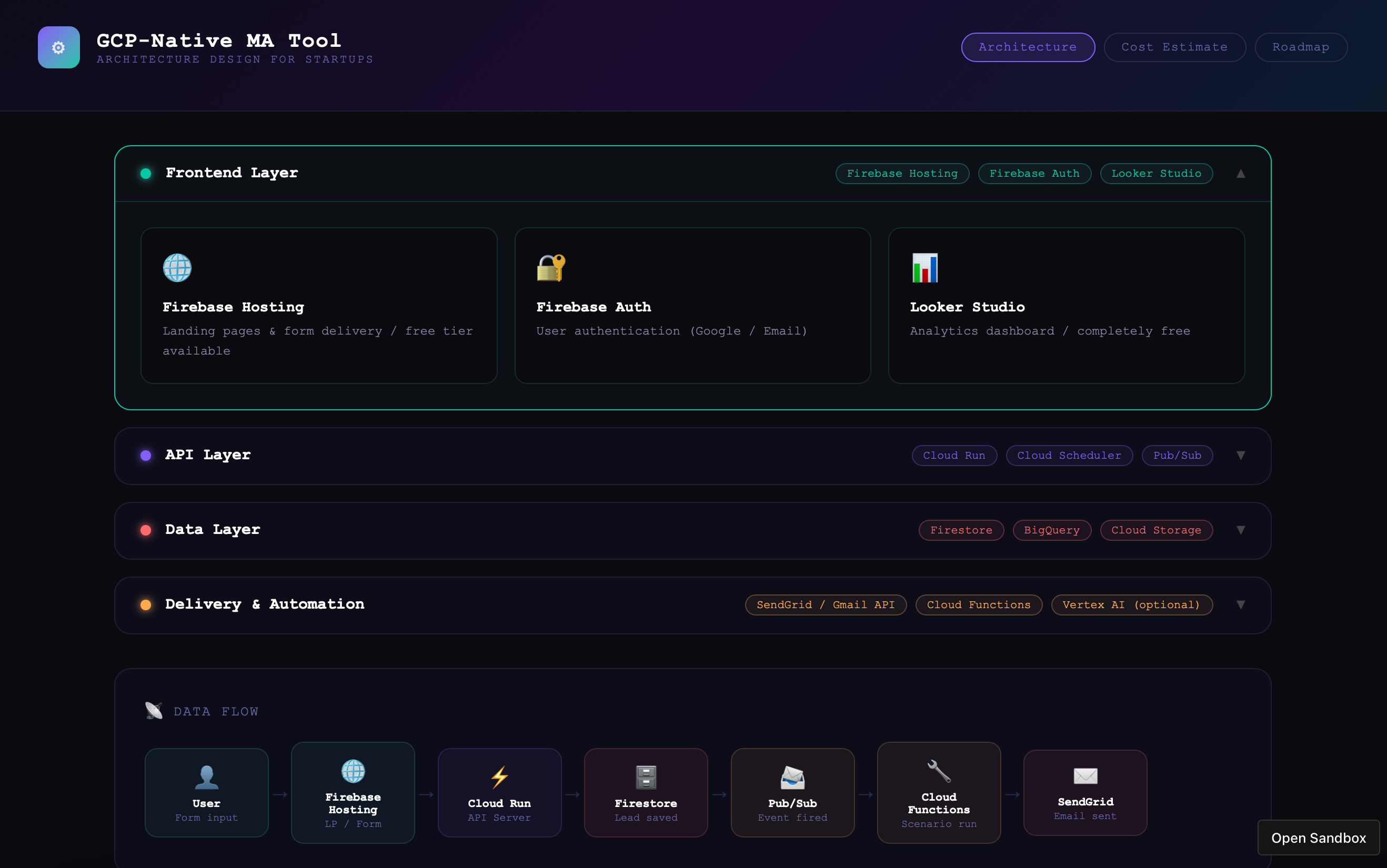
The architecture was delivered not just as a document, but as a fully interactive React dashboard (.jsx) featuring:
- Accordion-style layer explorer — click any layer to expand and inspect individual GCP services
- Live data flow diagram — visual pipeline from user input to email delivery
- Cost estimation table — with optimization tips for staying within free tiers
- Roadmap tracker — phase-by-phase breakdown with task tags
- Tech stack grid — recommended tools with rationale
The component was also exported as an English version upon request, demonstrating how the design could be adapted for international portfolios or client presentations.
Reflections
This project demonstrated that AI-assisted system design can meaningfully accelerate the early stages of a technical build. Within a single chat session, we moved from a vague question (“can we build an MA tool on GCP?”) to a concrete, visualized, cost-validated architecture — ready to hand off to an engineering team or use as a client proposal.
Key takeaways:
- GCP’s free tiers make serverless MA tooling genuinely viable at small scale
- Breaking the design into layers (frontend / API / data / delivery) keeps the architecture readable and modular
- An interactive React artifact is more useful than a static document for communicating architecture to non-technical stakeholders
You can check out the output here😊
Built with Claude (Anthropic) · Architecture validated against GCP pricing documentation · React component exported as
.jsx
I might actually follow through with it and build the system, with the help of Claude just to see what it can do.